How HarMotion Works

Revolutionizing Hands-Free Harmonica Playing

Discover the magic behind HarMotion, the world’s first motorized harmonica holder. Designed for effortless control and seamless performance, HarMotion combines cutting-edge engineering with user-friendly features. From its discreet motorized movements to ergonomic comfort, this guide takes you step-by-step through how HarMotion transforms your harmonica playing experience. Get ready to play smarter, not harder.

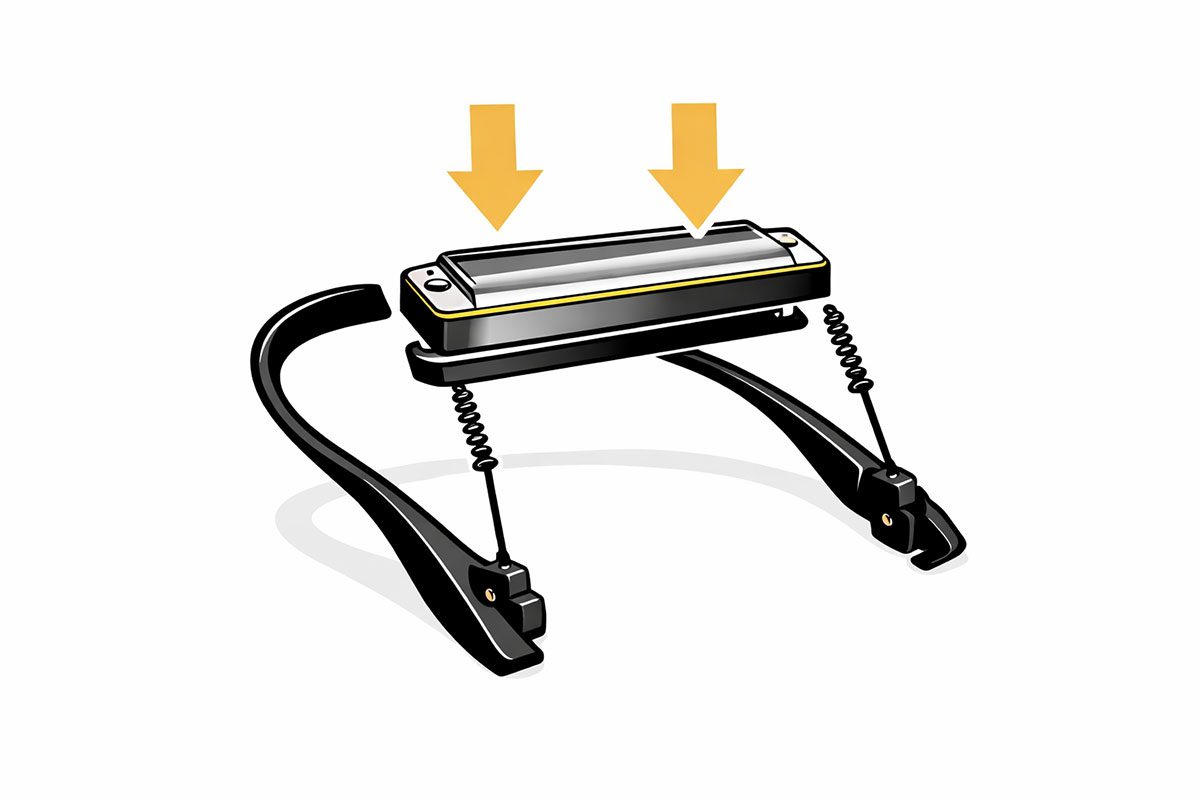
Placing a harmonica into the HarMotion holder
1

Secure Your Harmonica

Place your harmonica into the adjustable holder. The snug design ensures a secure fit for various harmonica sizes, whether diatonic or chromatic.
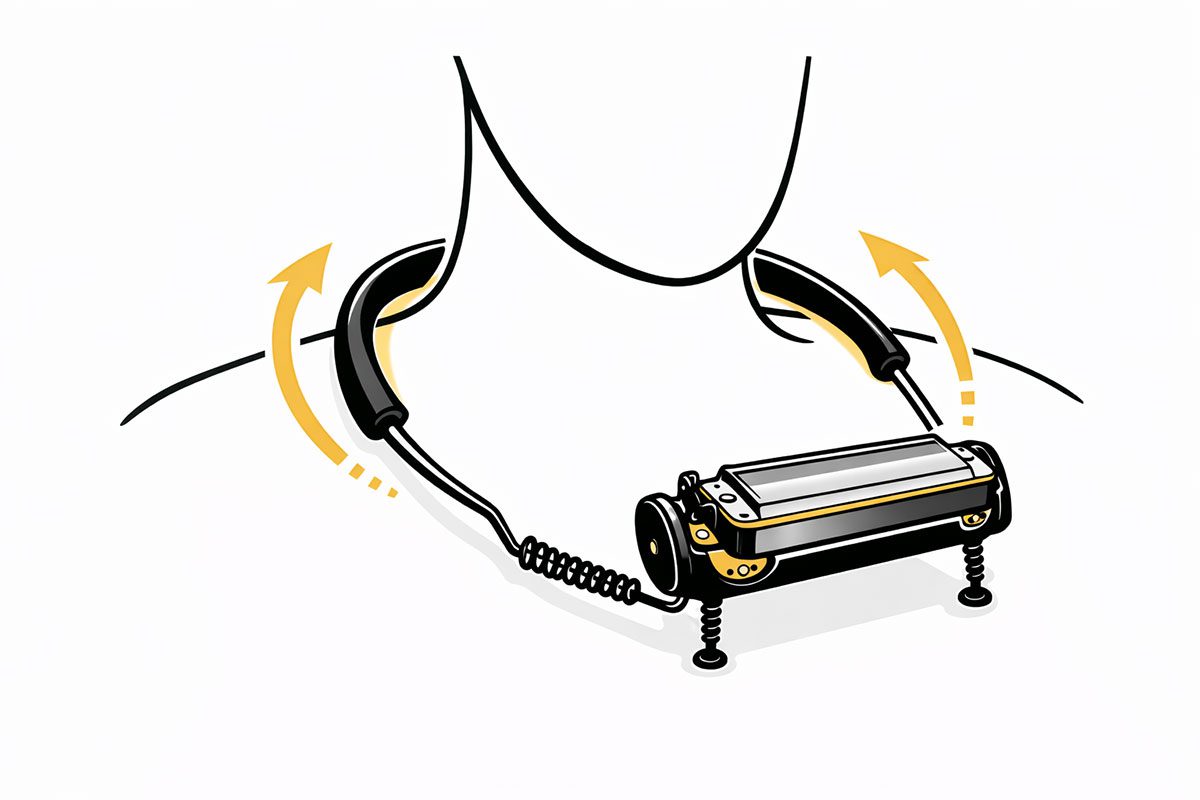
Wearing the HarMotion holder around the neck
2

Wear the Holder Comfortably

Slide the holder around your neck. The rounded edges and soft-touch material provide a comfortable fit, distributing weight evenly.
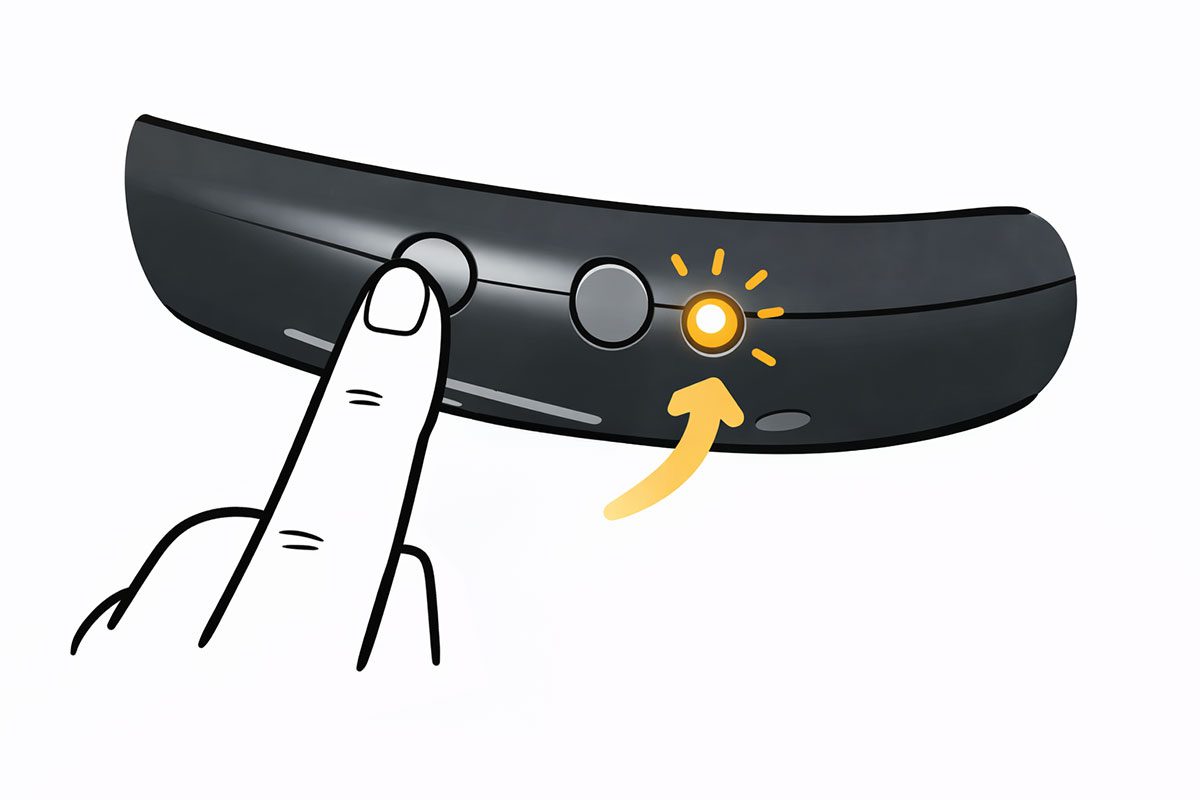
Pressing the power button on the back of the HarMotion holder
3

Power Up the Device

Press the easy-access power button on the back of the holder. The LED indicator will light up, signaling the device is ready to use.
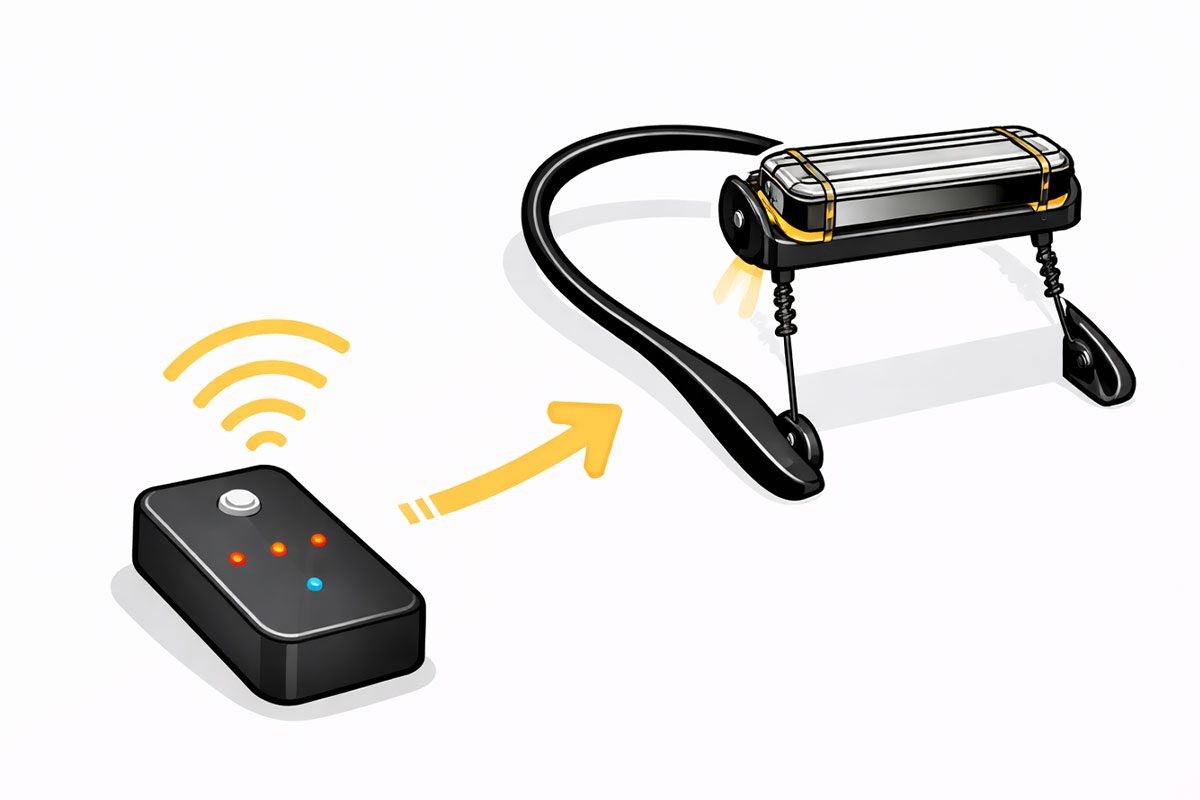
HarMotion foot pedal pairing wirelessly with the holder
4

Connect the Pedal

Place the anti-slip pedal on the floor in your preferred spot. The pedal wirelessly pairs with the holder to give you full control.
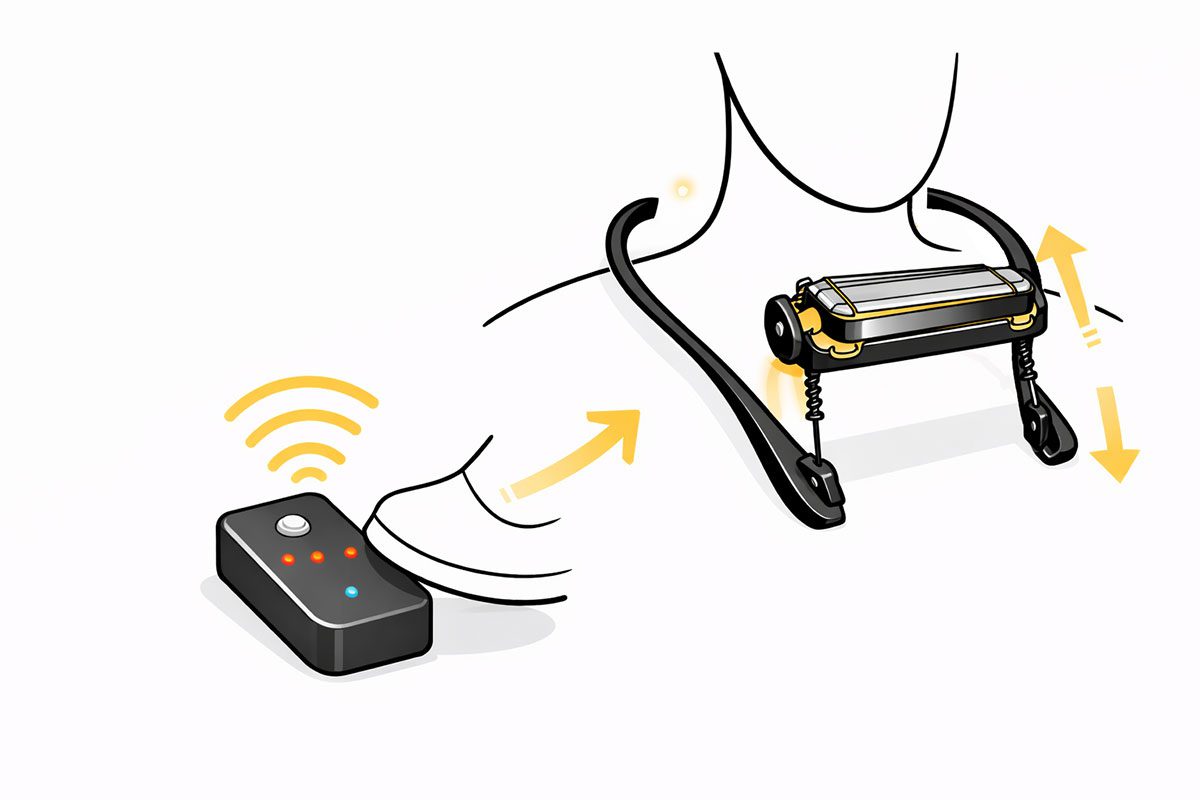
Using the pedal presets to raise or lower the harmonica
5

Adjust Harmonica Position

Use the pedal’s presets to raise or lower the harmonica for your desired playing angle. The quiet motor adjusts seamlessly to match your movements.
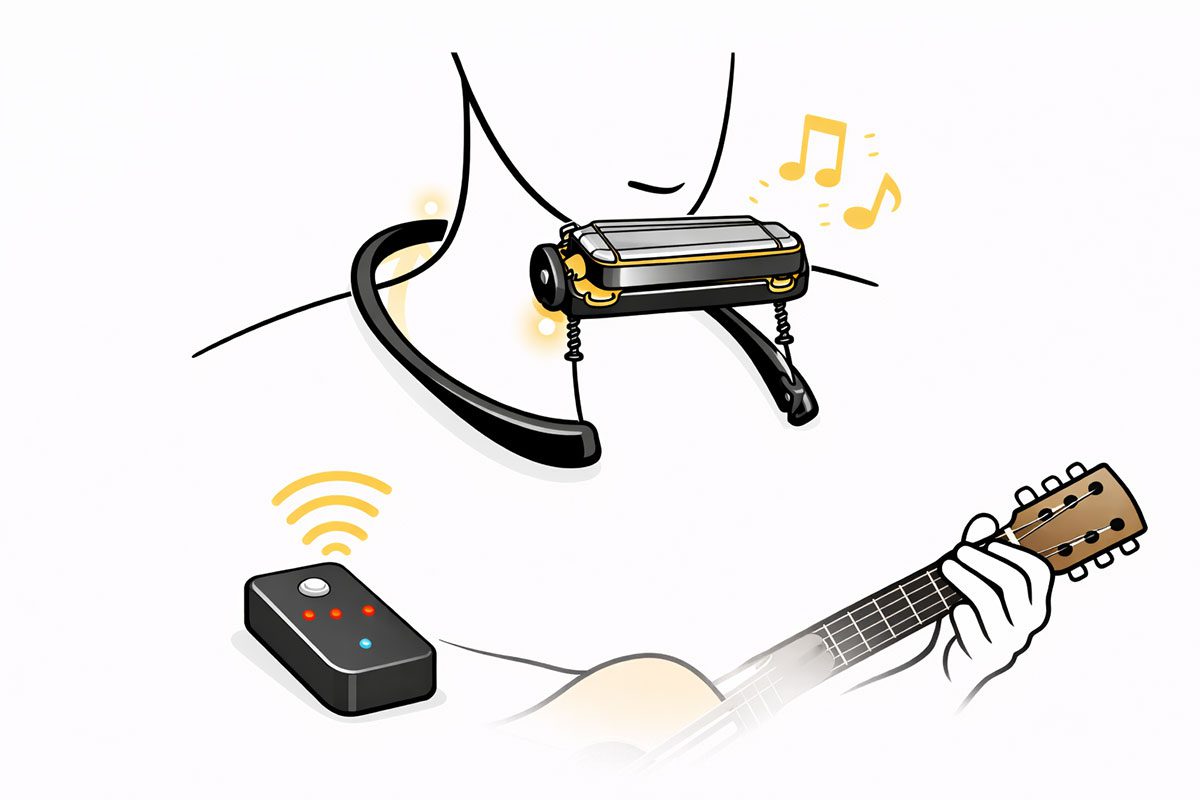
Playing harmonica hands-free with HarMotion while playing guitar
6

Play Hands-Free

With the harmonica in position, focus entirely on your music. The holder remains stable and responsive, adapting to your performance.
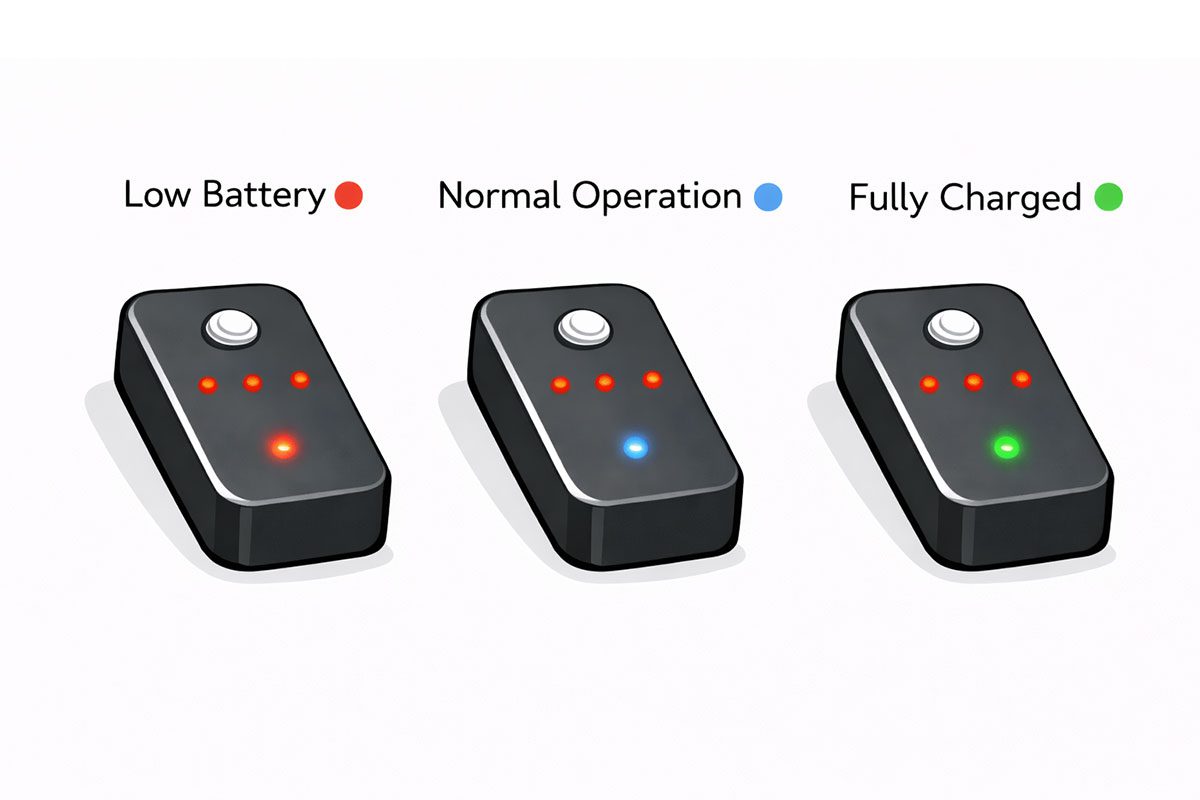
HarMotion battery lights: red for low, blue for normal, green for fully charged
7

Monitor Battery Status

Check the LED indicator for battery levels. Red indicates low battery, blue signals normal operation, and green means fully charged.
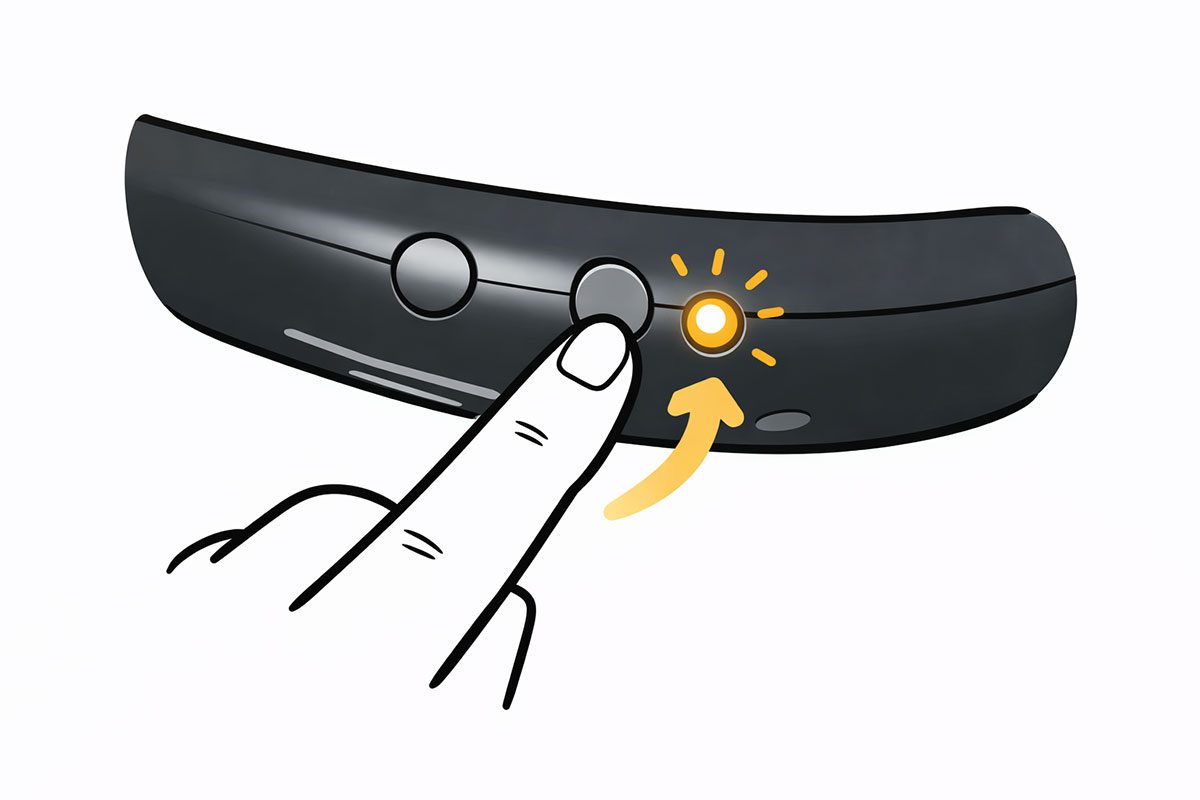
Pressing the power button to turn HarMotion off
8

Power Down After Use

Press the power button to turn off the holder when you're finished. The compact design makes it easy to store or transport.

Ready to revolutionize
your harmonica playing?